---
title: Full-Stack Web App
description: Build a full-stack device dashboard with a React/Vite frontend and FastAPI backend on WendyOS
language: python
---
## Building a Full-Stack Device Dashboard
**Source Code**: The complete source code for this example is available at [github.com/wendylabsinc/samples/python/web-app](https://github.com/wendylabsinc/samples/tree/main/python/web-app)
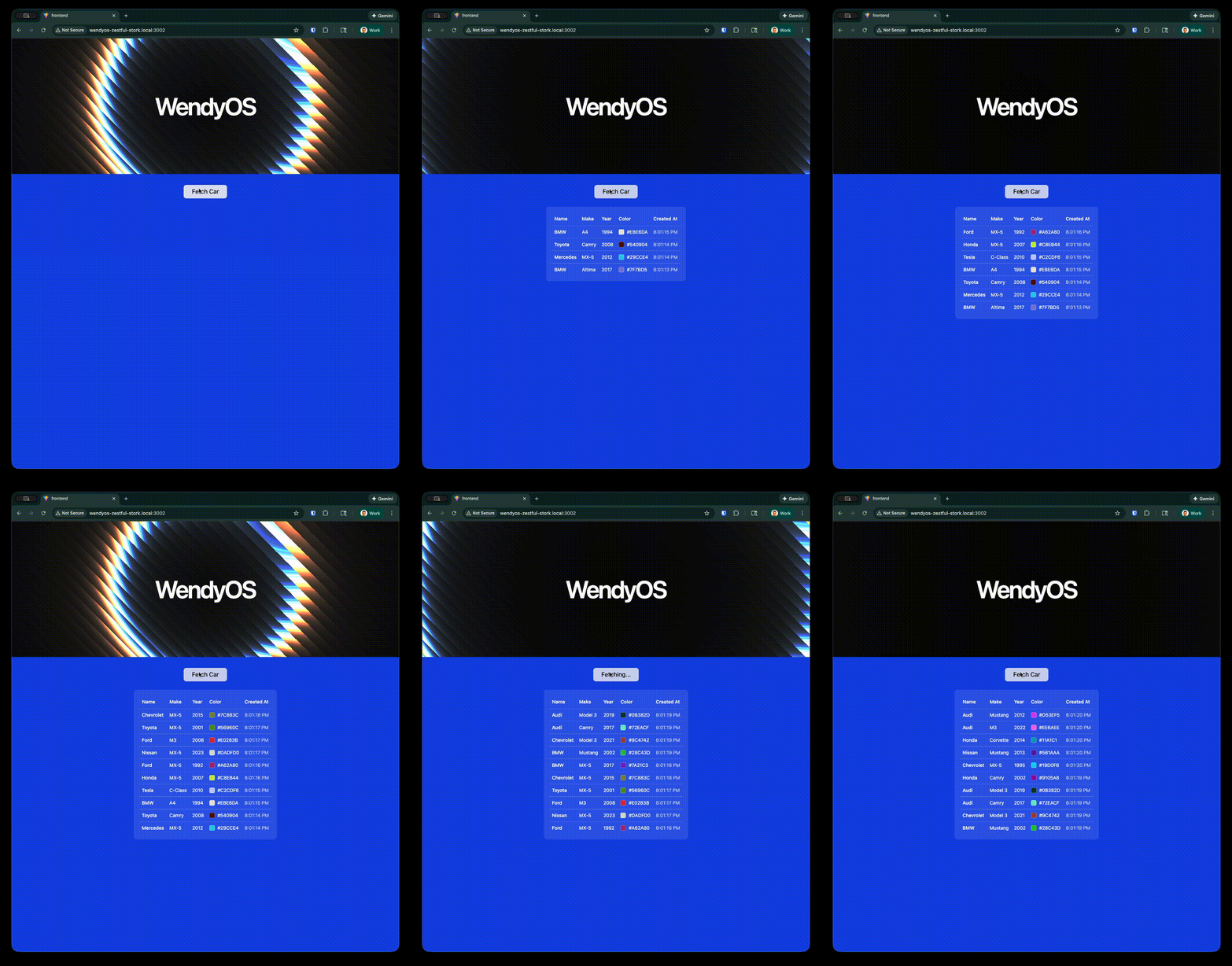 In this guide, we'll build a complete **device dashboard**: a modern React frontend (Vite, TypeScript, Tailwind v4, shadcn/ui) backed by a FastAPI server that exposes your device's camera, audio, GPU, system info, and a persistent SQLite-backed data store. The frontend is built into static files and served directly by the backend, so the whole stack ships as a single container.
The template generates the entire frontend and backend for you — you don't scaffold the UI by hand. This guide explains how the generated pieces fit together.
This demonstrates how to:
- Serve a production-built React SPA from a Python backend (with client-side routing)
- Expose device capabilities (camera, audio, GPU, system) over an `/api` surface
- Persist data to a volume that survives restarts (a cars CRUD on SQLite)
- Deploy the entire stack as a single container to your WendyOS device
### Prerequisites
- Wendy CLI installed on your development machine
- A WendyOS device plugged in over USB or connectable over Wi-Fi
- (Optional, for local frontend dev) Node.js 22+ and npm
## Project Structure
The template generates a top-level layout like this (the frontend's shadcn/ui components are omitted for brevity):
```
web-app/
├── Dockerfile
├── wendy.json
├── requirements.txt
├── app/ # FastAPI backend
│ ├── __init__.py # builds the FastAPI app, mounts routers, serves the SPA
│ ├── lib/ # db.py (SQLite), devices.py (ALSA/V4L2), gst_sink.py (GStreamer)
│ └── routes/ # data.py, camera.py, audio.py, gpu.py, system.py
└── frontend/ # Vite + React 19 + Tailwind v4 + shadcn/ui
├── package.json
├── vite.config.ts
└── src/
├── App.tsx # sidebar layout + react-router routes
├── main.tsx
├── components/ # app-sidebar, shadcn/ui, etc.
└── pages/ # camera, audio, persistence, gpu, system
```
## Setting Up Your Project
### Initialize the Project
Start from the Wendy full-stack Python template:
```bash
wendy init web-app --target wendyos --language python --template fullstack --var APP_ID=web-app --var PORT=8000 --assistant skip --git-init no
cd web-app
```
This generates `wendy.json`, the Dockerfile, the full React frontend, and the FastAPI backend. The sections below explain how the generated full-stack app fits together.
### Run on WendyOS
```bash
wendy run
```
Wendy will build the app (frontend then backend), ask you to select a device if one is not already configured, deploy the app, and open your browser once it's ready.
## Code Breakdown
### Generated Frontend
The frontend is a Vite + React 19 + Tailwind v4 app using shadcn/ui. It's a sidebar dashboard wired up with `react-router-dom` v7. The default route redirects to `/camera`:
```tsx
import { BrowserRouter, Routes, Route, Navigate } from "react-router-dom"
import { AppSidebar } from "@/components/app-sidebar"
import { SiteHeader } from "@/components/site-header"
import { SidebarInset, SidebarProvider } from "@/components/ui/sidebar"
import CameraPage from "@/pages/camera"
import AudioPage from "@/pages/audio"
import PersistencePage from "@/pages/persistence"
import GpuPage from "@/pages/gpu"
import SystemPage from "@/pages/system"
export default function App() {
return (
} />
} />
} />
} />
} />
} />
)
}
```
Each page calls the matching backend route — for example the **Persistence** page does a full cars CRUD against `/api/cars`:
```tsx
// create
await fetch("/api/cars", {
method: "POST",
headers: { "Content-Type": "application/json" },
body: JSON.stringify({ make, model, color, year }),
})
// read
const cars = await (await fetch("/api/cars")).json()
// update / delete
await fetch(`/api/cars/${id}`, { method: "PUT", /* ... */ })
await fetch(`/api/cars/${id}`, { method: "DELETE" })
```
The **camera** and **audio** pages connect to WebSockets (`/api/camera/stream`, `/api/audio/stream`); the **gpu** and **system** pages poll `/api/gpu` and `/api/system`.
**No manual scaffolding**: The template ships the entire frontend (Vite config, Tailwind, shadcn/ui components, pages). You do not run `npm create vite` or `npx shadcn add` yourself — it's already there. The Dockerfile builds it for you.
### Generated FastAPI Backend
The backend lives under `app/`. The `requirements.txt` is minimal — GStreamer comes from system packages installed in the Dockerfile:
```txt
fastapi==0.135.3
uvicorn[standard]
```
`app/__init__.py` builds the FastAPI app (exposed as `api`), initializes GStreamer, mounts each router under `/api`, and serves the built SPA from `./static`, falling back to `index.html` for client-side routes:
```python
import threading
from pathlib import Path
import gi
gi.require_version("Gst", "1.0")
gi.require_version("GstApp", "1.0")
from gi.repository import Gst, GLib
from fastapi import FastAPI
from fastapi.responses import FileResponse
from app.routes import data, camera, audio, gpu, system
Gst.init(None)
_glib_loop = GLib.MainLoop()
threading.Thread(target=_glib_loop.run, daemon=True).start()
api = FastAPI()
api.include_router(data.router, prefix="/api")
api.include_router(camera.router, prefix="/api")
api.include_router(audio.router, prefix="/api")
api.include_router(gpu.router, prefix="/api")
api.include_router(system.router, prefix="/api")
_static_dir = Path(__file__).resolve().parent.parent / "static"
@api.get("/{full_path:path}")
async def serve_spa(full_path: str):
"""Serve static files, fall back to index.html for SPA routing."""
file_path = _static_dir / full_path
if file_path.is_file():
return FileResponse(file_path)
return FileResponse(_static_dir / "index.html")
```
The routers expose:
- **`data.py`** — a cars CRUD (`GET/POST /api/cars`, `GET/PUT/DELETE /api/cars/{id}`) backed by SQLite at `/data/cars.db`
- **`system.py`** — `GET /api/system` returning hostname, platform, architecture, uptime, memory, disk, and CPU info from `/proc` and `shutil`
- **`gpu.py`** — `GET /api/gpu`, querying `nvidia-smi` (with a thermal-zone fallback for ARM GPUs)
- **`camera.py`** — `GET /api/cameras` plus a `/api/camera/stream` WebSocket (MJPEG over GStreamer)
- **`audio.py`** — `GET /api/microphones`, `GET /api/speakers`, plus an `/api/audio/stream` WebSocket (PCM over GStreamer)
The cars CRUD persists to a SQLite database that's created on demand:
```python
DB_PATH = Path("/data/cars.db")
def get_db() -> sqlite3.Connection:
DB_PATH.parent.mkdir(parents=True, exist_ok=True)
conn = sqlite3.connect(str(DB_PATH))
conn.row_factory = sqlite3.Row
conn.execute("""
CREATE TABLE IF NOT EXISTS cars (
id INTEGER PRIMARY KEY AUTOINCREMENT,
make TEXT NOT NULL,
model TEXT NOT NULL,
color TEXT NOT NULL,
year INTEGER NOT NULL,
created_at TEXT NOT NULL DEFAULT (datetime('now')),
updated_at TEXT
)
""")
conn.commit()
return conn
```
**Persistence**: `/data` is backed by the `persist` entitlement in `wendy.json`, so cars you add survive app restarts and redeploys.
### Generated Dockerfile
The Dockerfile is multi-stage: it builds the React frontend with Node, then assembles a Debian-based Python runtime with GStreamer (camera/audio), ALSA, and V4L tools. The built frontend is copied into the image as `./static`, and the app is served by `uvicorn app:api`:
```dockerfile
# Stage 1 — Build React frontend
FROM node:22-slim AS frontend
WORKDIR /frontend
COPY frontend/package*.json ./
RUN npm install
COPY frontend/ ./
RUN npm run build
# Stage 2 — FastAPI backend with GStreamer for camera/audio
FROM debian:bookworm-slim
WORKDIR /app
ENV PYTHONUNBUFFERED=1
RUN apt-get update && apt-get install -y --no-install-recommends \
python3 \
python3-pip \
python3-venv \
python3-gi \
gir1.2-gst-plugins-base-1.0 \
gir1.2-gst-plugins-bad-1.0 \
gir1.2-gstreamer-1.0 \
gstreamer1.0-tools \
gstreamer1.0-plugins-base \
gstreamer1.0-plugins-good \
gstreamer1.0-plugins-bad \
gstreamer1.0-plugins-ugly \
gstreamer1.0-libav \
gstreamer1.0-alsa \
alsa-utils \
v4l-utils \
&& rm -rf /var/lib/apt/lists/*
RUN python3 -m venv --system-site-packages /app/venv
ENV PATH="/app/venv/bin:$PATH"
COPY requirements.txt .
RUN pip install --no-cache-dir -r requirements.txt
COPY app/ ./app/
COPY --from=frontend /frontend/dist ./static
ARG WENDY_DEVICE_TYPE
ARG WENDY_DEBUG=false
ENV WENDY_DEVICE_TYPE=${WENDY_DEVICE_TYPE}
ENV WENDY_DEBUG=${WENDY_DEBUG}
RUN if [ "$WENDY_DEBUG" = "true" ]; then pip install --no-cache-dir debugpy; fi
EXPOSE 8000
CMD ["/app/venv/bin/uvicorn", "app:api", "--host", "0.0.0.0", "--port", "8000"]
```
**Important**: The server binds to `0.0.0.0` to accept connections from all network interfaces. This is required for container networking on WendyOS.
### Generated wendy.json
The generated `wendy.json` requests the entitlements the dashboard needs — host networking, camera, audio, GPU, and a persistent volume mounted at `/data`:
```json
{
"appId": "web-app",
"platform": "linux",
"version": "0.1.0",
"entitlements": [
{
"type": "network",
"mode": "host"
},
{
"type": "camera"
},
{
"type": "audio"
},
{
"type": "gpu"
},
{
"type": "persist",
"name": "web-app-data",
"path": "/data"
}
],
"readiness": {
"tcpSocket": { "port": 8000 },
"timeoutSeconds": 30
},
"hooks": {
"postStart": {
"cli": "wendy utils open-browser http://${WENDY_HOSTNAME}:8000"
}
}
}
```
- **network (host mode)**: binds directly to the device's network so the dashboard is reachable
- **camera / audio / gpu**: grant access to webcams, microphones/speakers, and the GPU for the corresponding dashboard pages
- **persist**: mounts a named volume (`web-app-data`) at `/data`, where the cars SQLite database lives
- **readiness**: waits until port `8000` accepts connections before the `postStart` hook runs
- **postStart**: automatically opens your browser once the app is ready
## Run Again on WendyOS
Deploy your full-stack web application to your WendyOS device:
```bash
wendy run
```
You'll see output as the CLI builds both the frontend and backend, then deploys the container:
```
wendy run
✔︎ Searching for WendyOS devices [5.0s]
✔︎ Which device do you want to run this app on?: True Probe [USB, Ethernet, LAN]
✔︎ Builder ready [0.1s]
✔︎ Container built and uploaded successfully!
✔ Success
Started app
INFO: Uvicorn running on http://0.0.0.0:8000 (Press CTRL+C to quit)
```
## Test Your Web App
Your browser will open automatically once the app is ready, thanks to the `postStart` hook. If it doesn't, navigate to:
```
http://wendyos-true-probe.local:8000
```
**Replace the hostname**: Each WendyOS device has a unique hostname. Replace `wendyos-true-probe` with your device's actual hostname shown in the CLI output.
You should see the dashboard with a sidebar. The default page is **Camera**; the sidebar also links to **Audio**, **Persistence**, **GPU**, and **System**. On the Persistence page you can add, edit, and delete cars — and they'll still be there after you redeploy, thanks to the persistent volume.
## Test the API Directly
You can also hit the API endpoints directly. For example, fetch system info:
```bash
curl http://wendyos-true-probe.local:8000/api/system
```
Or list the persisted cars:
```bash
curl http://wendyos-true-probe.local:8000/api/cars
```
Add a car:
```bash
curl -X POST http://wendyos-true-probe.local:8000/api/cars \
-H "Content-Type: application/json" \
-d '{"make": "Tesla", "model": "Model 3", "color": "#cc0000", "year": 2024}'
```
## Learn More
- [FastAPI Documentation](https://fastapi.tiangolo.com/)
- [Vite Documentation](https://vitejs.dev/)
- [shadcn/ui Components](https://ui.shadcn.com/)
- [React Router](https://reactrouter.com/)
## Next Steps
Now that you have a full-stack device dashboard running:
- Add a new page and matching `/api` router for another device capability
- Extend the SQLite schema and CRUD for your own data model
- Stream additional sensor data to the UI over WebSockets
- Add authentication to protect your API
You can test the application locally using Docker:
### Build and Run with Docker
```bash
docker build -t web-app .
docker run -p 8000:8000 web-app
```
Then open `http://localhost:8000` in your browser. Note that camera, audio, and GPU pages depend on hardware/devices that may not be available on your laptop; the System and Persistence pages work anywhere.
### Run the Frontend in Dev Mode
For faster UI iteration, run the Vite dev server (you'll still need the backend running for `/api` calls):
```bash
cd frontend
npm install
npm run dev
```
In this guide, we'll build a complete **device dashboard**: a modern React frontend (Vite, TypeScript, Tailwind v4, shadcn/ui) backed by a FastAPI server that exposes your device's camera, audio, GPU, system info, and a persistent SQLite-backed data store. The frontend is built into static files and served directly by the backend, so the whole stack ships as a single container.
The template generates the entire frontend and backend for you — you don't scaffold the UI by hand. This guide explains how the generated pieces fit together.
This demonstrates how to:
- Serve a production-built React SPA from a Python backend (with client-side routing)
- Expose device capabilities (camera, audio, GPU, system) over an `/api` surface
- Persist data to a volume that survives restarts (a cars CRUD on SQLite)
- Deploy the entire stack as a single container to your WendyOS device
### Prerequisites
- Wendy CLI installed on your development machine
- A WendyOS device plugged in over USB or connectable over Wi-Fi
- (Optional, for local frontend dev) Node.js 22+ and npm
## Project Structure
The template generates a top-level layout like this (the frontend's shadcn/ui components are omitted for brevity):
```
web-app/
├── Dockerfile
├── wendy.json
├── requirements.txt
├── app/ # FastAPI backend
│ ├── __init__.py # builds the FastAPI app, mounts routers, serves the SPA
│ ├── lib/ # db.py (SQLite), devices.py (ALSA/V4L2), gst_sink.py (GStreamer)
│ └── routes/ # data.py, camera.py, audio.py, gpu.py, system.py
└── frontend/ # Vite + React 19 + Tailwind v4 + shadcn/ui
├── package.json
├── vite.config.ts
└── src/
├── App.tsx # sidebar layout + react-router routes
├── main.tsx
├── components/ # app-sidebar, shadcn/ui, etc.
└── pages/ # camera, audio, persistence, gpu, system
```
## Setting Up Your Project
### Initialize the Project
Start from the Wendy full-stack Python template:
```bash
wendy init web-app --target wendyos --language python --template fullstack --var APP_ID=web-app --var PORT=8000 --assistant skip --git-init no
cd web-app
```
This generates `wendy.json`, the Dockerfile, the full React frontend, and the FastAPI backend. The sections below explain how the generated full-stack app fits together.
### Run on WendyOS
```bash
wendy run
```
Wendy will build the app (frontend then backend), ask you to select a device if one is not already configured, deploy the app, and open your browser once it's ready.
## Code Breakdown
### Generated Frontend
The frontend is a Vite + React 19 + Tailwind v4 app using shadcn/ui. It's a sidebar dashboard wired up with `react-router-dom` v7. The default route redirects to `/camera`:
```tsx
import { BrowserRouter, Routes, Route, Navigate } from "react-router-dom"
import { AppSidebar } from "@/components/app-sidebar"
import { SiteHeader } from "@/components/site-header"
import { SidebarInset, SidebarProvider } from "@/components/ui/sidebar"
import CameraPage from "@/pages/camera"
import AudioPage from "@/pages/audio"
import PersistencePage from "@/pages/persistence"
import GpuPage from "@/pages/gpu"
import SystemPage from "@/pages/system"
export default function App() {
return (
} />
} />
} />
} />
} />
} />
)
}
```
Each page calls the matching backend route — for example the **Persistence** page does a full cars CRUD against `/api/cars`:
```tsx
// create
await fetch("/api/cars", {
method: "POST",
headers: { "Content-Type": "application/json" },
body: JSON.stringify({ make, model, color, year }),
})
// read
const cars = await (await fetch("/api/cars")).json()
// update / delete
await fetch(`/api/cars/${id}`, { method: "PUT", /* ... */ })
await fetch(`/api/cars/${id}`, { method: "DELETE" })
```
The **camera** and **audio** pages connect to WebSockets (`/api/camera/stream`, `/api/audio/stream`); the **gpu** and **system** pages poll `/api/gpu` and `/api/system`.
**No manual scaffolding**: The template ships the entire frontend (Vite config, Tailwind, shadcn/ui components, pages). You do not run `npm create vite` or `npx shadcn add` yourself — it's already there. The Dockerfile builds it for you.
### Generated FastAPI Backend
The backend lives under `app/`. The `requirements.txt` is minimal — GStreamer comes from system packages installed in the Dockerfile:
```txt
fastapi==0.135.3
uvicorn[standard]
```
`app/__init__.py` builds the FastAPI app (exposed as `api`), initializes GStreamer, mounts each router under `/api`, and serves the built SPA from `./static`, falling back to `index.html` for client-side routes:
```python
import threading
from pathlib import Path
import gi
gi.require_version("Gst", "1.0")
gi.require_version("GstApp", "1.0")
from gi.repository import Gst, GLib
from fastapi import FastAPI
from fastapi.responses import FileResponse
from app.routes import data, camera, audio, gpu, system
Gst.init(None)
_glib_loop = GLib.MainLoop()
threading.Thread(target=_glib_loop.run, daemon=True).start()
api = FastAPI()
api.include_router(data.router, prefix="/api")
api.include_router(camera.router, prefix="/api")
api.include_router(audio.router, prefix="/api")
api.include_router(gpu.router, prefix="/api")
api.include_router(system.router, prefix="/api")
_static_dir = Path(__file__).resolve().parent.parent / "static"
@api.get("/{full_path:path}")
async def serve_spa(full_path: str):
"""Serve static files, fall back to index.html for SPA routing."""
file_path = _static_dir / full_path
if file_path.is_file():
return FileResponse(file_path)
return FileResponse(_static_dir / "index.html")
```
The routers expose:
- **`data.py`** — a cars CRUD (`GET/POST /api/cars`, `GET/PUT/DELETE /api/cars/{id}`) backed by SQLite at `/data/cars.db`
- **`system.py`** — `GET /api/system` returning hostname, platform, architecture, uptime, memory, disk, and CPU info from `/proc` and `shutil`
- **`gpu.py`** — `GET /api/gpu`, querying `nvidia-smi` (with a thermal-zone fallback for ARM GPUs)
- **`camera.py`** — `GET /api/cameras` plus a `/api/camera/stream` WebSocket (MJPEG over GStreamer)
- **`audio.py`** — `GET /api/microphones`, `GET /api/speakers`, plus an `/api/audio/stream` WebSocket (PCM over GStreamer)
The cars CRUD persists to a SQLite database that's created on demand:
```python
DB_PATH = Path("/data/cars.db")
def get_db() -> sqlite3.Connection:
DB_PATH.parent.mkdir(parents=True, exist_ok=True)
conn = sqlite3.connect(str(DB_PATH))
conn.row_factory = sqlite3.Row
conn.execute("""
CREATE TABLE IF NOT EXISTS cars (
id INTEGER PRIMARY KEY AUTOINCREMENT,
make TEXT NOT NULL,
model TEXT NOT NULL,
color TEXT NOT NULL,
year INTEGER NOT NULL,
created_at TEXT NOT NULL DEFAULT (datetime('now')),
updated_at TEXT
)
""")
conn.commit()
return conn
```
**Persistence**: `/data` is backed by the `persist` entitlement in `wendy.json`, so cars you add survive app restarts and redeploys.
### Generated Dockerfile
The Dockerfile is multi-stage: it builds the React frontend with Node, then assembles a Debian-based Python runtime with GStreamer (camera/audio), ALSA, and V4L tools. The built frontend is copied into the image as `./static`, and the app is served by `uvicorn app:api`:
```dockerfile
# Stage 1 — Build React frontend
FROM node:22-slim AS frontend
WORKDIR /frontend
COPY frontend/package*.json ./
RUN npm install
COPY frontend/ ./
RUN npm run build
# Stage 2 — FastAPI backend with GStreamer for camera/audio
FROM debian:bookworm-slim
WORKDIR /app
ENV PYTHONUNBUFFERED=1
RUN apt-get update && apt-get install -y --no-install-recommends \
python3 \
python3-pip \
python3-venv \
python3-gi \
gir1.2-gst-plugins-base-1.0 \
gir1.2-gst-plugins-bad-1.0 \
gir1.2-gstreamer-1.0 \
gstreamer1.0-tools \
gstreamer1.0-plugins-base \
gstreamer1.0-plugins-good \
gstreamer1.0-plugins-bad \
gstreamer1.0-plugins-ugly \
gstreamer1.0-libav \
gstreamer1.0-alsa \
alsa-utils \
v4l-utils \
&& rm -rf /var/lib/apt/lists/*
RUN python3 -m venv --system-site-packages /app/venv
ENV PATH="/app/venv/bin:$PATH"
COPY requirements.txt .
RUN pip install --no-cache-dir -r requirements.txt
COPY app/ ./app/
COPY --from=frontend /frontend/dist ./static
ARG WENDY_DEVICE_TYPE
ARG WENDY_DEBUG=false
ENV WENDY_DEVICE_TYPE=${WENDY_DEVICE_TYPE}
ENV WENDY_DEBUG=${WENDY_DEBUG}
RUN if [ "$WENDY_DEBUG" = "true" ]; then pip install --no-cache-dir debugpy; fi
EXPOSE 8000
CMD ["/app/venv/bin/uvicorn", "app:api", "--host", "0.0.0.0", "--port", "8000"]
```
**Important**: The server binds to `0.0.0.0` to accept connections from all network interfaces. This is required for container networking on WendyOS.
### Generated wendy.json
The generated `wendy.json` requests the entitlements the dashboard needs — host networking, camera, audio, GPU, and a persistent volume mounted at `/data`:
```json
{
"appId": "web-app",
"platform": "linux",
"version": "0.1.0",
"entitlements": [
{
"type": "network",
"mode": "host"
},
{
"type": "camera"
},
{
"type": "audio"
},
{
"type": "gpu"
},
{
"type": "persist",
"name": "web-app-data",
"path": "/data"
}
],
"readiness": {
"tcpSocket": { "port": 8000 },
"timeoutSeconds": 30
},
"hooks": {
"postStart": {
"cli": "wendy utils open-browser http://${WENDY_HOSTNAME}:8000"
}
}
}
```
- **network (host mode)**: binds directly to the device's network so the dashboard is reachable
- **camera / audio / gpu**: grant access to webcams, microphones/speakers, and the GPU for the corresponding dashboard pages
- **persist**: mounts a named volume (`web-app-data`) at `/data`, where the cars SQLite database lives
- **readiness**: waits until port `8000` accepts connections before the `postStart` hook runs
- **postStart**: automatically opens your browser once the app is ready
## Run Again on WendyOS
Deploy your full-stack web application to your WendyOS device:
```bash
wendy run
```
You'll see output as the CLI builds both the frontend and backend, then deploys the container:
```
wendy run
✔︎ Searching for WendyOS devices [5.0s]
✔︎ Which device do you want to run this app on?: True Probe [USB, Ethernet, LAN]
✔︎ Builder ready [0.1s]
✔︎ Container built and uploaded successfully!
✔ Success
Started app
INFO: Uvicorn running on http://0.0.0.0:8000 (Press CTRL+C to quit)
```
## Test Your Web App
Your browser will open automatically once the app is ready, thanks to the `postStart` hook. If it doesn't, navigate to:
```
http://wendyos-true-probe.local:8000
```
**Replace the hostname**: Each WendyOS device has a unique hostname. Replace `wendyos-true-probe` with your device's actual hostname shown in the CLI output.
You should see the dashboard with a sidebar. The default page is **Camera**; the sidebar also links to **Audio**, **Persistence**, **GPU**, and **System**. On the Persistence page you can add, edit, and delete cars — and they'll still be there after you redeploy, thanks to the persistent volume.
## Test the API Directly
You can also hit the API endpoints directly. For example, fetch system info:
```bash
curl http://wendyos-true-probe.local:8000/api/system
```
Or list the persisted cars:
```bash
curl http://wendyos-true-probe.local:8000/api/cars
```
Add a car:
```bash
curl -X POST http://wendyos-true-probe.local:8000/api/cars \
-H "Content-Type: application/json" \
-d '{"make": "Tesla", "model": "Model 3", "color": "#cc0000", "year": 2024}'
```
## Learn More
- [FastAPI Documentation](https://fastapi.tiangolo.com/)
- [Vite Documentation](https://vitejs.dev/)
- [shadcn/ui Components](https://ui.shadcn.com/)
- [React Router](https://reactrouter.com/)
## Next Steps
Now that you have a full-stack device dashboard running:
- Add a new page and matching `/api` router for another device capability
- Extend the SQLite schema and CRUD for your own data model
- Stream additional sensor data to the UI over WebSockets
- Add authentication to protect your API
You can test the application locally using Docker:
### Build and Run with Docker
```bash
docker build -t web-app .
docker run -p 8000:8000 web-app
```
Then open `http://localhost:8000` in your browser. Note that camera, audio, and GPU pages depend on hardware/devices that may not be available on your laptop; the System and Persistence pages work anywhere.
### Run the Frontend in Dev Mode
For faster UI iteration, run the Vite dev server (you'll still need the backend running for `/api` calls):
```bash
cd frontend
npm install
npm run dev
```