---
title: Full-Stack Web App
description: Build a full-stack device dashboard with a React frontend and Axum backend on WendyOS
language: rust
---

## Building a Full-Stack Web App

<Callout type="info">
  **Source Code**: The complete source code for this example is available at [github.com/wendylabsinc/samples/rust/web-app](https://github.com/wendylabsinc/samples/tree/main/rust/web-app)
</Callout>

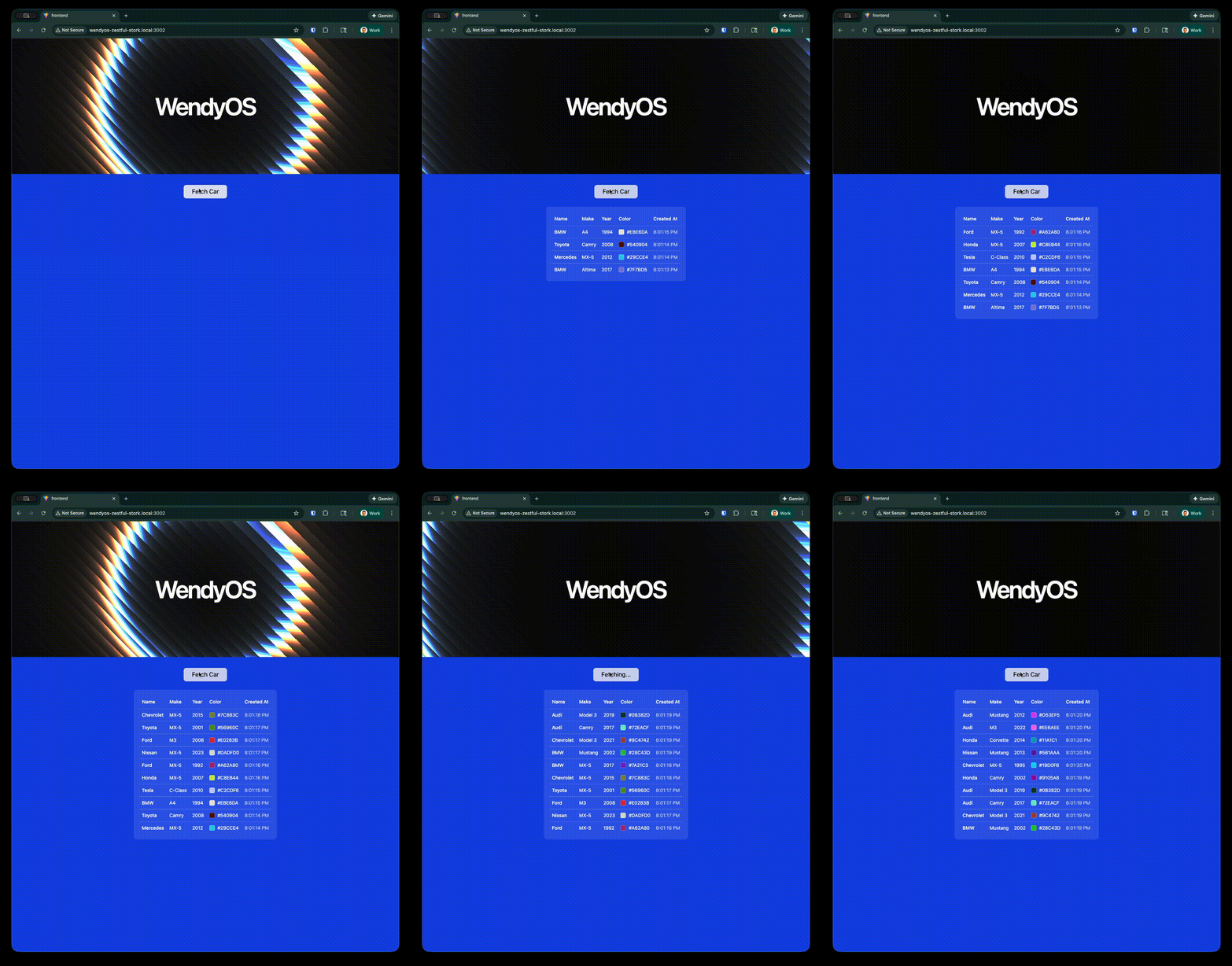
<img src="/latest/images/web-app-example.gif" alt="Web App Demo" style={{ width: '100%', borderRadius: '8px' }} />

The Wendy full-stack template scaffolds a complete **device dashboard**: a modern React frontend (Vite, TypeScript, Tailwind v4, shadcn/ui) talking to an Axum backend that exposes your device's hardware over HTTP. The whole stack ships as a single container — the backend serves the built frontend and the API from one binary.

This demonstrates how to:
- Serve a production-built React single-page app from a Rust backend
- Expose device features (camera, audio, GPU, system info) and persistent data through `/api/*` routes
- Deploy the entire stack as a single container to your WendyOS device

### Prerequisites

- Wendy CLI installed on your development machine
- Node.js 22+ and npm installed (for building the frontend)
- Rust 1.85 or later installed (via `rustup`)
- A WendyOS device plugged in over USB or connectable over Wi-Fi

## Setting Up Your Project

<Steps>
  <Step>
    ### Initialize the Project

    Start from the Wendy full-stack Rust template:

    ```bash
    wendy init web-app --target wendyos --language rust --template fullstack --var APP_ID=web-app --var PORT=8000 --assistant skip --git-init no
    cd web-app
    ```

    <CliShot flow="init" step="wizard" alt="wendy init scaffolding the full-stack Rust web-app project" />

    The template generates the entire project — `wendy.json`, the Dockerfile, the Rust backend, and the full React frontend. You don't scaffold the frontend by hand. The sections below explain how the generated full-stack app fits together.
  </Step>

  <Step>
    ### Run on WendyOS

    ```bash
    wendy run
    ```

    <CliShot flow="run" step="deploy" alt="wendy run building and deploying the full-stack web app" />

    Wendy will build the frontend and backend, ask you to select a device if one is not already configured, deploy the app, and open your browser to the dashboard.
  </Step>
</Steps>

## Project Structure

The generated project has a Rust backend at the root and the React frontend under `frontend/`:

```
web-app/
├── Cargo.toml          # Rust backend dependencies
├── Dockerfile          # multi-stage: build frontend, build backend, runtime
├── wendy.json          # entitlements + readiness + postStart hook
├── src/
│   └── main.rs         # Axum backend: /api/* routes + static SPA
└── frontend/           # React 19 + Vite + Tailwind v4 + shadcn/ui
    ├── package.json
    ├── vite.config.ts
    ├── index.html
    └── src/
        ├── App.tsx     # sidebar dashboard + react-router routes
        ├── main.tsx
        ├── components/ # app-sidebar, site-header, shadcn/ui, ...
        └── pages/      # camera, audio, persistence, gpu, system
```

The frontend builds to `frontend/dist`, which the Dockerfile copies into the backend image as `./static`.

## Code Breakdown

<Steps>
  <Step>
    ### Generated Frontend

    The frontend is a React 19 single-page app built with Vite, Tailwind v4, and shadcn/ui. `App.tsx` sets up a sidebar dashboard and uses `react-router-dom` v7 for client-side routing across five pages — **camera, audio, persistence, gpu, system** — with the default route redirecting to `/camera`:

    ```tsx
    import { BrowserRouter, Routes, Route, Navigate } from "react-router-dom"
    import { AppSidebar } from "@/components/app-sidebar"
    import { SiteHeader } from "@/components/site-header"
    import { SidebarInset, SidebarProvider } from "@/components/ui/sidebar"

    import CameraPage from "@/pages/camera"
    import AudioPage from "@/pages/audio"
    import PersistencePage from "@/pages/persistence"
    import GpuPage from "@/pages/gpu"
    import SystemPage from "@/pages/system"

    export default function App() {
      return (
        <BrowserRouter>
          <SidebarProvider
            style={
              {
                "--sidebar-width": "calc(var(--spacing) * 72)",
                "--header-height": "calc(var(--spacing) * 12)",
              } as React.CSSProperties
            }
          >
            <AppSidebar variant="inset" />
            <SidebarInset>
              <SiteHeader />
              <div className="flex flex-1 flex-col">
                <div className="@container/main flex flex-1 flex-col gap-2">
                  <Routes>
                    <Route path="/" element={<Navigate to="/camera" replace />} />
                    <Route path="/camera" element={<CameraPage />} />
                    <Route path="/audio" element={<AudioPage />} />
                    <Route path="/persistence" element={<PersistencePage />} />
                    <Route path="/gpu" element={<GpuPage />} />
                    <Route path="/system" element={<SystemPage />} />
                  </Routes>
                </div>
              </div>
            </SidebarInset>
          </SidebarProvider>
        </BrowserRouter>
      )
    }
    ```

    Each page under `frontend/src/pages/` calls the matching backend `/api/*` route — for example, the camera page opens a WebSocket to `/api/camera/stream`, and the persistence page does CRUD against `/api/cars`. To work on the UI you only need `npm install` and `npm run build` (or `npm run dev`) inside `frontend/`; `wendy run` does the build for you.
  </Step>

  <Step>
    ### Generated Axum Backend

    The generated `Cargo.toml` describes the backend. It pulls in Axum (with WebSocket support), GStreamer for camera/audio capture, and `rusqlite` (bundled SQLite) for persistence:

    ```toml
    [package]
    name = "web-app"
    version = "0.1.0"
    edition = "2021"

    [dependencies]
    axum = { version = "0.8.8", features = ["ws"] }
    tokio = { version = "1", features = ["full"] }
    serde = { version = "1", features = ["derive"] }
    serde_json = "1"
    rusqlite = { version = "0.32", features = ["bundled"] }
    tower-http = { version = "0.6", features = ["fs", "trace"] }
    gstreamer = "0.23"
    gstreamer-app = "0.23"
    futures-util = "0.3"
    ```

    The `main()` function in `src/main.rs` wires up the `/api/*` routes, then falls back to serving the built SPA from `./static` (with `index.html` as the SPA fallback for client-side routing):

    ```rust
    #[tokio::main]
    async fn main() {
        gstreamer::init().expect("Failed to initialise GStreamer");

        let hostname = std::env::var("WENDY_HOSTNAME").unwrap_or_else(|_| "unknown".to_string());

        let (cam_tx, _) = broadcast::channel::<Vec<u8>>(16);
        let (aud_tx, _) = broadcast::channel::<Vec<u8>>(16);

        let state = AppState {
            db: Arc::new(Mutex::new(init_db())),
            camera: Arc::new(CameraSingleton(Mutex::new(GstCapture {
                pipeline: None,
                current_device: None,
                tx: cam_tx,
                client_count: 0,
            }))),
            audio: Arc::new(AudioSingleton(Mutex::new(GstCapture {
                pipeline: None,
                current_device: None,
                tx: aud_tx,
                client_count: 0,
            }))),
        };

        let api_routes = Router::new()
            .route("/api/cars", get(list_cars).post(create_car))
            .route(
                "/api/cars/{id}",
                get(get_car).put(update_car).delete(delete_car),
            )
            .route("/api/cameras", get(get_cameras))
            .route("/api/microphones", get(get_microphones))
            .route("/api/speakers", get(get_speakers))
            .route("/api/gpu", get(gpu_info))
            .route("/api/system", get(system_info))
            .route("/api/camera/stream", get(camera_ws_handler))
            .route("/api/audio/stream", get(audio_ws_handler))
            .with_state(state);

        let serve_dir = ServeDir::new("./static").fallback(ServeFile::new("./static/index.html"));

        let app = api_routes.fallback_service(serve_dir);

        let addr = "0.0.0.0:8000";
        eprintln!("Starting server on {addr} (hostname: {hostname})");

        let listener = tokio::net::TcpListener::bind(addr).await.unwrap();
        axum::serve(listener, app).await.unwrap();
    }
    ```

    <Callout type="info">
      **API surface**: The backend exposes routes for `system` (host/CPU/memory/disk/uptime), `gpu`, `camera` and `audio` (MJPEG/PCM streamed over WebSockets via GStreamer), and `data` — a **cars CRUD** backed by SQLite. The database is created at `/data/cars.db`, which is mounted by the `persist` entitlement so the data survives restarts.
    </Callout>
  </Step>

  <Step>
    ### Generated Dockerfile

    The generated Dockerfile is multi-stage: build the frontend with Node, build the Rust backend (with GStreamer and SQLite dev headers), then assemble a slim runtime image with the GStreamer plugins, ALSA, v4l, and SQLite tooling needed at runtime:

    ```dockerfile
    # Stage 1: Build frontend
    FROM node:22-slim AS frontend
    WORKDIR /frontend
    COPY frontend/package*.json ./
    RUN npm install
    COPY frontend/ .
    RUN npm run build

    # Stage 2: Build Rust backend
    FROM rust:1.85-slim AS builder
    RUN apt-get update && apt-get install -y --no-install-recommends \
        pkg-config \
        libgstreamer1.0-dev \
        libgstreamer-plugins-base1.0-dev \
        libgstreamer-plugins-bad1.0-dev \
        libsqlite3-dev \
        && rm -rf /var/lib/apt/lists/*
    WORKDIR /app
    COPY Cargo.toml ./
    # Create a dummy main.rs so dependencies can be cached
    RUN mkdir src && echo "fn main() {}" > src/main.rs
    RUN cargo build --release || true
    # Now copy the real source and build
    COPY src ./src
    RUN touch src/main.rs && cargo build --release

    # Stage 3: Final image
    FROM debian:bookworm-slim
    RUN apt-get update && apt-get install -y --no-install-recommends \
        ca-certificates \
        gstreamer1.0-tools \
        gstreamer1.0-plugins-base \
        gstreamer1.0-plugins-good \
        gstreamer1.0-plugins-bad \
        gstreamer1.0-plugins-ugly \
        gstreamer1.0-libav \
        gstreamer1.0-alsa \
        libgstreamer1.0-0 \
        libgstreamer-plugins-base1.0-0 \
        alsa-utils \
        v4l-utils \
        sqlite3 \
        && rm -rf /var/lib/apt/lists/*
    COPY --from=builder /app/target/release/web-app /usr/local/bin/web-app
    COPY --from=frontend /frontend/dist ./static
    EXPOSE 8000
    CMD ["web-app"]
    ```
  </Step>

  <Step>
    ### Generated wendy.json

    The generated `wendy.json` grants the entitlements the dashboard needs — `network` in host mode, plus `camera`, `audio`, `gpu`, and a `persist` volume (`web-app-data`) mounted at `/data` for the SQLite database. The readiness probe and `postStart` hook target port `8000`:

    ```json
    {
        "appId": "web-app",
        "platform": "linux",
        "version": "0.1.0",
        "entitlements": [
            {
                "type": "network",
                "mode": "host"
            },
            {
                "type": "camera"
            },
            {
                "type": "audio"
            },
            {
                "type": "gpu"
            },
            {
                "type": "persist",
                "name": "web-app-data",
                "path": "/data"
            }
        ],
        "readiness": {
            "tcpSocket": { "port": 8000 },
            "timeoutSeconds": 30
        },
        "hooks": {
            "postStart": {
                "cli": "wendy utils open-browser http://${WENDY_HOSTNAME}:8000"
            }
        }
    }
    ```

    The `readiness` probe tells the CLI to wait until port `8000` is accepting connections before proceeding. The `postStart` hook automatically opens your browser once the app is ready.
  </Step>
</Steps>

## Run Again on WendyOS

Deploy your full-stack web application to your WendyOS device:

```bash
wendy run
```

## Test Your Web App

Your browser will open automatically once the app is ready, thanks to the `postStart` hook. If it doesn't, navigate to:

```
http://wendyos-true-probe.local:8000
```

<Callout type="warning">
  **Replace the hostname**: Each WendyOS device has a unique hostname. Replace `wendyos-true-probe` with your device's actual hostname shown in the CLI output.
</Callout>

You'll land on the camera page; use the sidebar to switch between the camera, audio, persistence, GPU, and system pages.

## Test the API Directly

Query the system info endpoint:

```bash
curl http://wendyos-true-probe.local:8000/api/system
```

Add a car to the persistent SQLite store:

```bash
curl -X POST http://wendyos-true-probe.local:8000/api/cars \
  -H "Content-Type: application/json" \
  -d '{"make":"Toyota","model":"Camry","color":"#1E88E5","year":2015}'
```

List the saved cars:

```bash
curl http://wendyos-true-probe.local:8000/api/cars
```

Response:
```json
[{"id":1,"make":"Toyota","model":"Camry","color":"#1E88E5","year":2015,"created_at":"2026-06-06 10:30:00","updated_at":null}]
```

## Learn More

- [Axum Documentation](https://docs.rs/axum/latest/axum/)
- [Vite Documentation](https://vitejs.dev/)
- [shadcn/ui Components](https://ui.shadcn.com/)

## Next Steps

Now that you have a full-stack web app running:

- Add more `/api/*` endpoints and a matching page under `frontend/src/pages/`
- Implement real-time updates with WebSockets (the camera and audio pages already do)
- Connect to more WendyOS device sensors and display data in the UI
- Add authentication middleware
- Extend the SQLite schema for richer persistent storage

<Accordions>
  <Accordion title="Testing locally without a WendyOS device">
    Some features (camera, audio, GPU) need real device hardware, but you can still build and run the stack locally.

    ### Build and Run with Docker

    ```bash
    docker build -t web-app .
    docker run -p 8000:8000 -v "$(pwd)/data:/data" web-app
    ```

    Then open `http://localhost:8000` in your browser.

    ### Run Locally with Cargo

    ```bash
    # Build the frontend first (output goes to frontend/dist)
    cd frontend && npm install && npm run build && cd ..

    # The backend serves the SPA from ./static, so make it available:
    rm -rf static && cp -r frontend/dist static

    # Run the backend
    cargo run --release
    ```

    The backend writes its SQLite database to `/data/cars.db`, so create that directory (or adjust permissions) when running outside a container.
  </Accordion>
</Accordions>
