---
title: Full-Stack Web App
description: Build a full-stack device dashboard with a Vite/React frontend and Express backend on WendyOS
language: typescript
---
## Building a Full-Stack Web App
**Source Code**: The complete source code for this example is available at [github.com/wendylabsinc/samples/node-typescript/web-app](https://github.com/wendylabsinc/samples/tree/main/node-typescript/web-app)
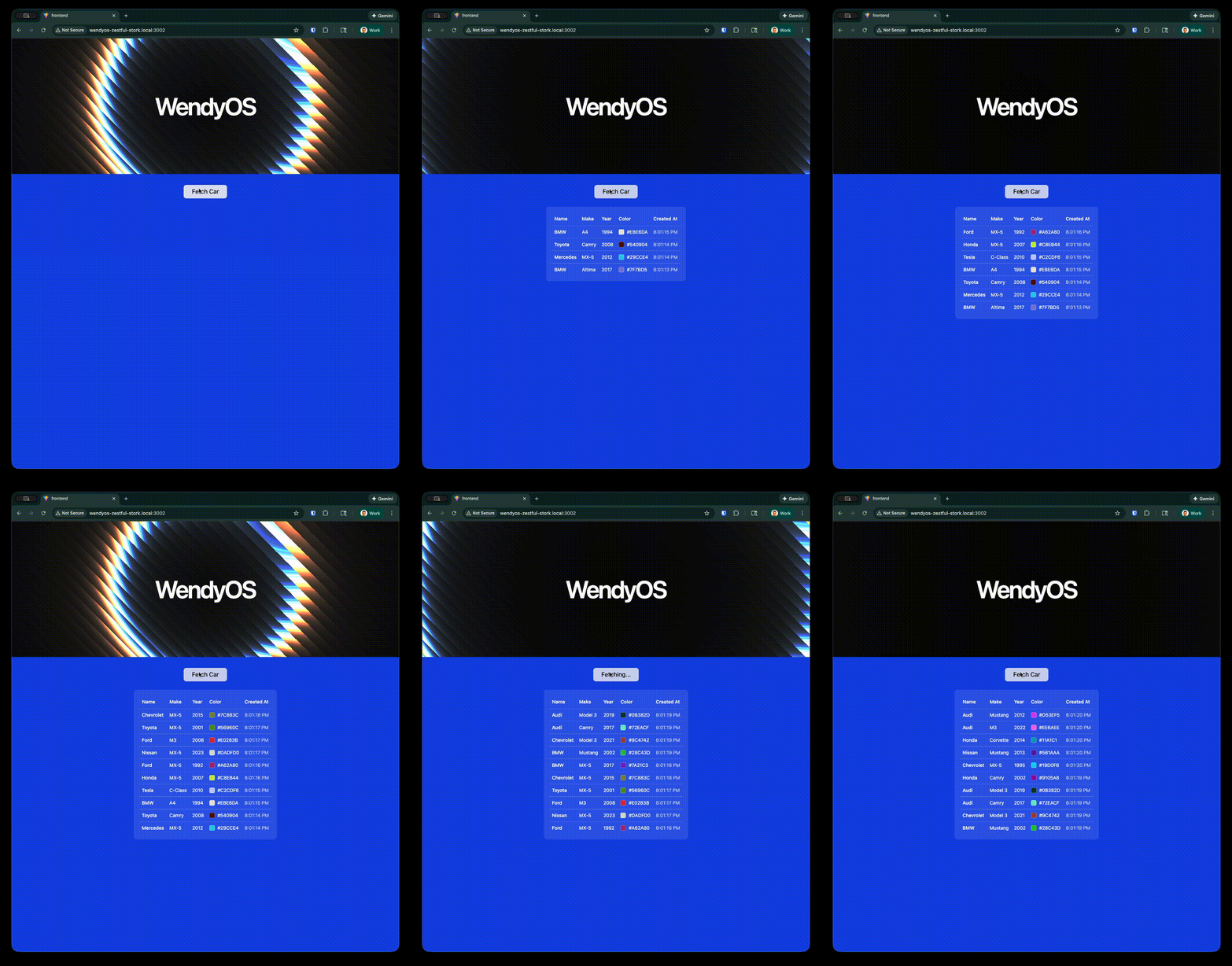 The Wendy `fullstack` template scaffolds a complete **device dashboard**: a modern React 19 frontend (Vite, TypeScript, Tailwind v4, shadcn/ui) talking to an Express backend that exposes your WendyOS device's camera, audio, GPU, system info, and a persistent SQLite-backed data store. The whole thing is packaged and deployed as a single container.
The dashboard uses a sidebar layout with pages for **camera, audio, persistence, gpu, and system**, wired together with `react-router-dom` (the default route redirects to `/camera`). The backend serves `/api/*` routes and the built frontend as static files, falling back to `index.html` for client-side routing.
This demonstrates how to:
- Serve a production-built React SPA from a Node.js backend
- Expose device features (camera, audio, GPU, system) through HTTP and WebSocket APIs
- Persist data on the device with SQLite and a `persist` volume
- Deploy the entire stack as a single container to your WendyOS device
### Prerequisites
- Wendy CLI installed on your development machine
- Node.js 22+ and npm installed
- A WendyOS device plugged in over USB or connectable over Wi-Fi
## Project Structure
The template ships the full frontend and backend — you don't scaffold them by hand. At the top level it looks like:
```
web-app/
├── Dockerfile # Multi-stage build: frontend -> backend -> runtime
├── wendy.json # Entitlements, readiness probe, postStart hook
├── package.json # Express backend (better-sqlite3, ws)
├── tsconfig.json
├── src/
│ └── index.ts # Express + WebSocket backend (/api/* routes)
└── frontend/ # Vite + React 19 + Tailwind v4 + shadcn/ui
├── package.json
├── vite.config.ts
└── src/
├── App.tsx # Sidebar layout + react-router routes
├── pages/ # camera, audio, persistence, gpu, system
└── components/ # shadcn/ui + dashboard components
```
The built frontend (`frontend/dist`) is copied into the backend image as `./static`.
## Setting Up Your Project
### Initialize the Project
Start from the Wendy full-stack TypeScript template:
```bash
wendy init web-app --target wendyos --language node --template fullstack --var APP_ID=web-app --var PORT=8000 --assistant skip --git-init no
cd web-app
```
The template creates `wendy.json`, the Dockerfile, the complete frontend under `frontend/`, and the TypeScript backend (`package.json`, `tsconfig.json`, `src/index.ts`). The sections below explain how the generated full-stack app fits together.
### Run on WendyOS
```bash
wendy run
```
Wendy will build the app, ask you to select a device if one is not already configured, deploy the app, and print the URL or run output.
## Code Breakdown
### Generated Frontend
The `frontend/` directory is a complete Vite + React 19 app using Tailwind v4 and shadcn/ui. It uses `react-router-dom` v7 for a sidebar dashboard. The router lives in `frontend/src/App.tsx`:
```tsx
import { BrowserRouter, Routes, Route, Navigate } from "react-router-dom"
import { AppSidebar } from "@/components/app-sidebar"
import { SiteHeader } from "@/components/site-header"
import { SidebarInset, SidebarProvider } from "@/components/ui/sidebar"
import CameraPage from "@/pages/camera"
import AudioPage from "@/pages/audio"
import PersistencePage from "@/pages/persistence"
import GpuPage from "@/pages/gpu"
import SystemPage from "@/pages/system"
export default function App() {
return (
{/* ...sidebar layout... */}
} />
} />
} />
} />
} />
} />
)
}
```
Each page (`frontend/src/pages/*.tsx`) calls the matching backend API. You build it with Vite:
```bash
cd frontend
npm install
npm run build
cd ..
```
The Dockerfile runs this build for you in its own stage and copies the output into the backend image.
### Generated Express Backend
The backend lives at the project root. The generated `package.json` pulls in Express, `ws` (for camera/audio streaming), and `better-sqlite3` (for persistence):
```json
{
"name": "web-app",
"version": "0.1.0",
"type": "module",
"scripts": {
"build": "tsc",
"start": "node dist/index.js",
"dev": "tsx watch src/index.ts"
},
"dependencies": {
"express": "^4",
"ws": "^8",
"better-sqlite3": "^11"
},
"devDependencies": {
"@types/express": "^5",
"@types/ws": "^8",
"@types/better-sqlite3": "^7",
"@types/node": "^22",
"typescript": "^5.7",
"tsx": "^4"
},
"engines": {
"node": ">=22"
}
}
```
The generated `tsconfig.json` configures TypeScript:
```json
{
"compilerOptions": {
"target": "ES2022",
"module": "NodeNext",
"moduleResolution": "NodeNext",
"outDir": "./dist",
"rootDir": "./src",
"strict": true,
"esModuleInterop": true,
"skipLibCheck": true,
"declaration": true
},
"include": ["src"]
}
```
`src/index.ts` is the heart of the app. It listens on port `8000` and exposes:
- **`/api/cars`** — a CRUD API (`GET`, `POST`, `GET/:id`, `PUT/:id`, `DELETE/:id`) backed by a SQLite database stored at `/data/cars.db`.
- **`/api/system`** — host, CPU, memory, disk, and uptime info.
- **`/api/gpu`** — GPU details via `nvidia-smi` (with a thermal-zone fallback).
- **`/api/cameras`**, **`/api/microphones`**, **`/api/speakers`** — device enumeration via `v4l2-ctl` and ALSA.
- **`/api/camera/stream`** and **`/api/audio/stream`** — WebSocket endpoints that run GStreamer pipelines to stream MJPEG video and PCM audio.
- Static serving of the built frontend from `./static`, with an `index.html` fallback for SPA routing.
The SQLite setup and a couple of the routes look like this:
```typescript
import express, { Request, Response } from "express";
import { createServer } from "http";
import Database from "better-sqlite3";
const PORT = 8000;
const WENDY_HOSTNAME = process.env.WENDY_HOSTNAME ?? "localhost";
const DB_PATH = "/data/cars.db";
const db = new Database(DB_PATH);
db.pragma("journal_mode = WAL");
db.exec(`
CREATE TABLE IF NOT EXISTS cars (
id INTEGER PRIMARY KEY AUTOINCREMENT,
make TEXT NOT NULL,
model TEXT NOT NULL,
color TEXT NOT NULL,
year INTEGER NOT NULL,
created_at TEXT NOT NULL DEFAULT (datetime('now')),
updated_at TEXT
)
`);
const app = express();
app.use(express.json());
app.get("/api/cars", (_req: Request, res: Response) => {
res.json(listCars.all());
});
app.post("/api/cars", (req: Request, res: Response) => {
const { make, model, color, year } = req.body;
const info = insertCar.run({ make, model, color, year });
res.status(201).json(getCar.get(info.lastInsertRowid));
});
// ...more routes, plus static serving + SPA fallback...
// Wrap the Express app in an HTTP server so the camera/audio
// WebSocket streams can share the same port.
const server = createServer(app);
server.listen(PORT, () => {
console.log(`Server running on http://${WENDY_HOSTNAME}:${PORT}`);
});
```
Install and build the backend with:
```bash
npm install
npm run build
```
**Persistence**: The cars database lives at `/data/cars.db`. The `persist` entitlement in `wendy.json` mounts a volume named `web-app-data` at `/data`, so your data survives app restarts and redeploys.
### Generated Dockerfile
The generated multi-stage Dockerfile builds the frontend, builds the backend, and assembles a runtime image with the GStreamer/ALSA/v4l tooling the device APIs need. The runtime stage also installs `python3`, `make`, and `g++` so npm can rebuild the native `better-sqlite3` addon:
```dockerfile
# Stage 1 — Build React frontend
FROM node:22-slim AS frontend
WORKDIR /frontend
COPY frontend/package*.json ./
RUN npm install
COPY frontend/ ./
RUN npm run build
# Stage 2 — Build backend TypeScript
FROM node:22-slim AS builder
WORKDIR /app
COPY package*.json ./
RUN npm install
COPY tsconfig.json ./
COPY src/ ./src/
RUN npm run build
# Stage 3 — Production runtime
FROM node:22-slim
WORKDIR /app
# Install GStreamer, ALSA, v4l-utils, and native build tools for better-sqlite3
RUN apt-get update && apt-get install -y --no-install-recommends \
gstreamer1.0-tools \
gstreamer1.0-plugins-base \
gstreamer1.0-plugins-good \
gstreamer1.0-plugins-bad \
gstreamer1.0-plugins-ugly \
gstreamer1.0-libav \
gstreamer1.0-alsa \
alsa-utils \
v4l-utils \
python3 \
make \
g++ \
&& rm -rf /var/lib/apt/lists/*
# Install production dependencies (rebuilds better-sqlite3 native addon)
COPY package*.json ./
RUN npm install --omit=dev
# Copy compiled backend and frontend assets
COPY --from=builder /app/dist ./dist
COPY --from=frontend /frontend/dist ./static
EXPOSE 8000
CMD ["node", "dist/index.js"]
```
### Generated wendy.json
The generated `wendy.json` requests the entitlements the dashboard needs: host-mode `network`, plus `camera`, `audio`, `gpu`, and a `persist` volume for the SQLite database:
```json
{
"appId": "web-app",
"platform": "linux",
"version": "0.1.0",
"entitlements": [
{
"type": "network",
"mode": "host"
},
{
"type": "camera"
},
{
"type": "audio"
},
{
"type": "gpu"
},
{
"type": "persist",
"name": "web-app-data",
"path": "/data"
}
],
"readiness": {
"tcpSocket": { "port": 8000 },
"timeoutSeconds": 30
},
"hooks": {
"postStart": {
"cli": "wendy utils open-browser http://${WENDY_HOSTNAME}:8000"
}
}
}
```
The `readiness` probe tells the CLI to wait until port `8000` is accepting connections before proceeding. The `postStart` hook automatically opens your browser once the app is ready.
## Run Again on WendyOS
Deploy your full-stack web application to your WendyOS device:
```bash
wendy run
```
## Test Your Web App
Your browser will open automatically once the app is ready, thanks to the `postStart` hook. If it doesn't, navigate to:
```
http://wendyos-true-probe.local:8000
```
**Replace the hostname**: Each WendyOS device has a unique hostname. Replace `wendyos-true-probe` with your device's actual hostname shown in the CLI output.
The dashboard opens on the **Camera** page by default. Use the sidebar to switch between the camera, audio, persistence, GPU, and system pages.
## Test the API Directly
List the system info reported by the device:
```bash
curl http://wendyos-true-probe.local:8000/api/system
```
Add a car to the persistent store:
```bash
curl -X POST http://wendyos-true-probe.local:8000/api/cars \
-H "Content-Type: application/json" \
-d '{"make":"Toyota","model":"Camry","color":"Blue","year":2015}'
```
Response:
```json
{"id":1,"make":"Toyota","model":"Camry","color":"Blue","year":2015,"created_at":"2026-06-06 10:30:00","updated_at":null}
```
List all cars:
```bash
curl http://wendyos-true-probe.local:8000/api/cars
```
## Learn More
- [Express Documentation](https://expressjs.com/)
- [Vite Documentation](https://vitejs.dev/)
- [shadcn/ui Components](https://ui.shadcn.com/)
## Next Steps
Now that you have a full-stack web app running:
- Add more API endpoints and dashboard pages
- Stream the camera or microphone in your own UI via the WebSocket endpoints
- Extend the SQLite schema for your own persistent data
- Add authentication middleware
- Connect to additional WendyOS device sensors and display data in the UI
### Build and Run with Docker
```bash
docker build -t web-app .
docker run -p 8000:8000 web-app
```
Then open `http://localhost:8000` in your browser.
**Device features off-device**: Camera, audio, and GPU endpoints rely on hardware and tooling that aren't present on a typical laptop, so those pages will be empty when running locally. The system info and the cars CRUD (persistence) work anywhere.
### Run Locally
```bash
# Build the frontend first
cd frontend && npm install && npm run build && cd ..
# Run the backend
npm install
npm run dev
```
The Wendy `fullstack` template scaffolds a complete **device dashboard**: a modern React 19 frontend (Vite, TypeScript, Tailwind v4, shadcn/ui) talking to an Express backend that exposes your WendyOS device's camera, audio, GPU, system info, and a persistent SQLite-backed data store. The whole thing is packaged and deployed as a single container.
The dashboard uses a sidebar layout with pages for **camera, audio, persistence, gpu, and system**, wired together with `react-router-dom` (the default route redirects to `/camera`). The backend serves `/api/*` routes and the built frontend as static files, falling back to `index.html` for client-side routing.
This demonstrates how to:
- Serve a production-built React SPA from a Node.js backend
- Expose device features (camera, audio, GPU, system) through HTTP and WebSocket APIs
- Persist data on the device with SQLite and a `persist` volume
- Deploy the entire stack as a single container to your WendyOS device
### Prerequisites
- Wendy CLI installed on your development machine
- Node.js 22+ and npm installed
- A WendyOS device plugged in over USB or connectable over Wi-Fi
## Project Structure
The template ships the full frontend and backend — you don't scaffold them by hand. At the top level it looks like:
```
web-app/
├── Dockerfile # Multi-stage build: frontend -> backend -> runtime
├── wendy.json # Entitlements, readiness probe, postStart hook
├── package.json # Express backend (better-sqlite3, ws)
├── tsconfig.json
├── src/
│ └── index.ts # Express + WebSocket backend (/api/* routes)
└── frontend/ # Vite + React 19 + Tailwind v4 + shadcn/ui
├── package.json
├── vite.config.ts
└── src/
├── App.tsx # Sidebar layout + react-router routes
├── pages/ # camera, audio, persistence, gpu, system
└── components/ # shadcn/ui + dashboard components
```
The built frontend (`frontend/dist`) is copied into the backend image as `./static`.
## Setting Up Your Project
### Initialize the Project
Start from the Wendy full-stack TypeScript template:
```bash
wendy init web-app --target wendyos --language node --template fullstack --var APP_ID=web-app --var PORT=8000 --assistant skip --git-init no
cd web-app
```
The template creates `wendy.json`, the Dockerfile, the complete frontend under `frontend/`, and the TypeScript backend (`package.json`, `tsconfig.json`, `src/index.ts`). The sections below explain how the generated full-stack app fits together.
### Run on WendyOS
```bash
wendy run
```
Wendy will build the app, ask you to select a device if one is not already configured, deploy the app, and print the URL or run output.
## Code Breakdown
### Generated Frontend
The `frontend/` directory is a complete Vite + React 19 app using Tailwind v4 and shadcn/ui. It uses `react-router-dom` v7 for a sidebar dashboard. The router lives in `frontend/src/App.tsx`:
```tsx
import { BrowserRouter, Routes, Route, Navigate } from "react-router-dom"
import { AppSidebar } from "@/components/app-sidebar"
import { SiteHeader } from "@/components/site-header"
import { SidebarInset, SidebarProvider } from "@/components/ui/sidebar"
import CameraPage from "@/pages/camera"
import AudioPage from "@/pages/audio"
import PersistencePage from "@/pages/persistence"
import GpuPage from "@/pages/gpu"
import SystemPage from "@/pages/system"
export default function App() {
return (
{/* ...sidebar layout... */}
} />
} />
} />
} />
} />
} />
)
}
```
Each page (`frontend/src/pages/*.tsx`) calls the matching backend API. You build it with Vite:
```bash
cd frontend
npm install
npm run build
cd ..
```
The Dockerfile runs this build for you in its own stage and copies the output into the backend image.
### Generated Express Backend
The backend lives at the project root. The generated `package.json` pulls in Express, `ws` (for camera/audio streaming), and `better-sqlite3` (for persistence):
```json
{
"name": "web-app",
"version": "0.1.0",
"type": "module",
"scripts": {
"build": "tsc",
"start": "node dist/index.js",
"dev": "tsx watch src/index.ts"
},
"dependencies": {
"express": "^4",
"ws": "^8",
"better-sqlite3": "^11"
},
"devDependencies": {
"@types/express": "^5",
"@types/ws": "^8",
"@types/better-sqlite3": "^7",
"@types/node": "^22",
"typescript": "^5.7",
"tsx": "^4"
},
"engines": {
"node": ">=22"
}
}
```
The generated `tsconfig.json` configures TypeScript:
```json
{
"compilerOptions": {
"target": "ES2022",
"module": "NodeNext",
"moduleResolution": "NodeNext",
"outDir": "./dist",
"rootDir": "./src",
"strict": true,
"esModuleInterop": true,
"skipLibCheck": true,
"declaration": true
},
"include": ["src"]
}
```
`src/index.ts` is the heart of the app. It listens on port `8000` and exposes:
- **`/api/cars`** — a CRUD API (`GET`, `POST`, `GET/:id`, `PUT/:id`, `DELETE/:id`) backed by a SQLite database stored at `/data/cars.db`.
- **`/api/system`** — host, CPU, memory, disk, and uptime info.
- **`/api/gpu`** — GPU details via `nvidia-smi` (with a thermal-zone fallback).
- **`/api/cameras`**, **`/api/microphones`**, **`/api/speakers`** — device enumeration via `v4l2-ctl` and ALSA.
- **`/api/camera/stream`** and **`/api/audio/stream`** — WebSocket endpoints that run GStreamer pipelines to stream MJPEG video and PCM audio.
- Static serving of the built frontend from `./static`, with an `index.html` fallback for SPA routing.
The SQLite setup and a couple of the routes look like this:
```typescript
import express, { Request, Response } from "express";
import { createServer } from "http";
import Database from "better-sqlite3";
const PORT = 8000;
const WENDY_HOSTNAME = process.env.WENDY_HOSTNAME ?? "localhost";
const DB_PATH = "/data/cars.db";
const db = new Database(DB_PATH);
db.pragma("journal_mode = WAL");
db.exec(`
CREATE TABLE IF NOT EXISTS cars (
id INTEGER PRIMARY KEY AUTOINCREMENT,
make TEXT NOT NULL,
model TEXT NOT NULL,
color TEXT NOT NULL,
year INTEGER NOT NULL,
created_at TEXT NOT NULL DEFAULT (datetime('now')),
updated_at TEXT
)
`);
const app = express();
app.use(express.json());
app.get("/api/cars", (_req: Request, res: Response) => {
res.json(listCars.all());
});
app.post("/api/cars", (req: Request, res: Response) => {
const { make, model, color, year } = req.body;
const info = insertCar.run({ make, model, color, year });
res.status(201).json(getCar.get(info.lastInsertRowid));
});
// ...more routes, plus static serving + SPA fallback...
// Wrap the Express app in an HTTP server so the camera/audio
// WebSocket streams can share the same port.
const server = createServer(app);
server.listen(PORT, () => {
console.log(`Server running on http://${WENDY_HOSTNAME}:${PORT}`);
});
```
Install and build the backend with:
```bash
npm install
npm run build
```
**Persistence**: The cars database lives at `/data/cars.db`. The `persist` entitlement in `wendy.json` mounts a volume named `web-app-data` at `/data`, so your data survives app restarts and redeploys.
### Generated Dockerfile
The generated multi-stage Dockerfile builds the frontend, builds the backend, and assembles a runtime image with the GStreamer/ALSA/v4l tooling the device APIs need. The runtime stage also installs `python3`, `make`, and `g++` so npm can rebuild the native `better-sqlite3` addon:
```dockerfile
# Stage 1 — Build React frontend
FROM node:22-slim AS frontend
WORKDIR /frontend
COPY frontend/package*.json ./
RUN npm install
COPY frontend/ ./
RUN npm run build
# Stage 2 — Build backend TypeScript
FROM node:22-slim AS builder
WORKDIR /app
COPY package*.json ./
RUN npm install
COPY tsconfig.json ./
COPY src/ ./src/
RUN npm run build
# Stage 3 — Production runtime
FROM node:22-slim
WORKDIR /app
# Install GStreamer, ALSA, v4l-utils, and native build tools for better-sqlite3
RUN apt-get update && apt-get install -y --no-install-recommends \
gstreamer1.0-tools \
gstreamer1.0-plugins-base \
gstreamer1.0-plugins-good \
gstreamer1.0-plugins-bad \
gstreamer1.0-plugins-ugly \
gstreamer1.0-libav \
gstreamer1.0-alsa \
alsa-utils \
v4l-utils \
python3 \
make \
g++ \
&& rm -rf /var/lib/apt/lists/*
# Install production dependencies (rebuilds better-sqlite3 native addon)
COPY package*.json ./
RUN npm install --omit=dev
# Copy compiled backend and frontend assets
COPY --from=builder /app/dist ./dist
COPY --from=frontend /frontend/dist ./static
EXPOSE 8000
CMD ["node", "dist/index.js"]
```
### Generated wendy.json
The generated `wendy.json` requests the entitlements the dashboard needs: host-mode `network`, plus `camera`, `audio`, `gpu`, and a `persist` volume for the SQLite database:
```json
{
"appId": "web-app",
"platform": "linux",
"version": "0.1.0",
"entitlements": [
{
"type": "network",
"mode": "host"
},
{
"type": "camera"
},
{
"type": "audio"
},
{
"type": "gpu"
},
{
"type": "persist",
"name": "web-app-data",
"path": "/data"
}
],
"readiness": {
"tcpSocket": { "port": 8000 },
"timeoutSeconds": 30
},
"hooks": {
"postStart": {
"cli": "wendy utils open-browser http://${WENDY_HOSTNAME}:8000"
}
}
}
```
The `readiness` probe tells the CLI to wait until port `8000` is accepting connections before proceeding. The `postStart` hook automatically opens your browser once the app is ready.
## Run Again on WendyOS
Deploy your full-stack web application to your WendyOS device:
```bash
wendy run
```
## Test Your Web App
Your browser will open automatically once the app is ready, thanks to the `postStart` hook. If it doesn't, navigate to:
```
http://wendyos-true-probe.local:8000
```
**Replace the hostname**: Each WendyOS device has a unique hostname. Replace `wendyos-true-probe` with your device's actual hostname shown in the CLI output.
The dashboard opens on the **Camera** page by default. Use the sidebar to switch between the camera, audio, persistence, GPU, and system pages.
## Test the API Directly
List the system info reported by the device:
```bash
curl http://wendyos-true-probe.local:8000/api/system
```
Add a car to the persistent store:
```bash
curl -X POST http://wendyos-true-probe.local:8000/api/cars \
-H "Content-Type: application/json" \
-d '{"make":"Toyota","model":"Camry","color":"Blue","year":2015}'
```
Response:
```json
{"id":1,"make":"Toyota","model":"Camry","color":"Blue","year":2015,"created_at":"2026-06-06 10:30:00","updated_at":null}
```
List all cars:
```bash
curl http://wendyos-true-probe.local:8000/api/cars
```
## Learn More
- [Express Documentation](https://expressjs.com/)
- [Vite Documentation](https://vitejs.dev/)
- [shadcn/ui Components](https://ui.shadcn.com/)
## Next Steps
Now that you have a full-stack web app running:
- Add more API endpoints and dashboard pages
- Stream the camera or microphone in your own UI via the WebSocket endpoints
- Extend the SQLite schema for your own persistent data
- Add authentication middleware
- Connect to additional WendyOS device sensors and display data in the UI
### Build and Run with Docker
```bash
docker build -t web-app .
docker run -p 8000:8000 web-app
```
Then open `http://localhost:8000` in your browser.
**Device features off-device**: Camera, audio, and GPU endpoints rely on hardware and tooling that aren't present on a typical laptop, so those pages will be empty when running locally. The system info and the cars CRUD (persistence) work anywhere.
### Run Locally
```bash
# Build the frontend first
cd frontend && npm install && npm run build && cd ..
# Run the backend
npm install
npm run dev
```